 Optimization Doc Start diagnosis →
 Optimization Doc
Make AI adoption not scary.
I help small businesses automate onboarding, customer follow-up, and daily operations with practical AI and systems your people can use.
Get a personalized AI roadmap in 120 seconds.

Testimonials 01
I've been to hundreds of meetings, and too many of them are just talk. This was different. It was one of the most valuable meetings I've had in a very long time, and the value continued even after the demonstration. Jethro kept helping me think through what was possible for my actual work, and I could feel the alignment from the start.
Jethro turned a messy registration process into one clean flow. Parents can register each student without records overwriting each other, Stripe stays simple, and our class reminders can now run from real dates instead of manual work.
It was honestly perfect. Having so much time to explore and work with the tools was fantastic. It was one of the best programs I've been in.
The Kickstart was amazing! We actually created and developed a tool that will be used to save time, and solve an actual problem.
After spending just 2 hours with Jethro, he saved me hiring a half time employee. I don't need to spend that money on headcount anymore.
What changes 02
Start with the work. Then make it smoother.
Your team knows where work feels slow, confusing, or too manual. I look for the system underneath it, then build practical changes that fit the people and tools already in the business.
Work often includes
- Customer onboarding, registration, and follow-up
- CRM, email, and handoffs between the tools your team already uses
- Operational systems for small businesses and education teams
One customer example
Customer onboarding went from 97 minutes of human work to under 10.
AI helped build the system, but the improvement came mostly from workflow changes and automation - not from asking AI to do the whole job on its own.
- Before
- Each new customer required about 97 minutes of hands-on onboarding work.
- After
- The revised process brought that human time to under 10 minutes per new customer.
- What changed
- The workflow was simplified and automated so the team could focus its attention where it mattered.
Offers 03
Offers
Four ways I work. Pricing is named openly. Scope is named openly. The work is named openly.
Engagements
Ongoing subscription
Operating Principles 04
Portfolio 05
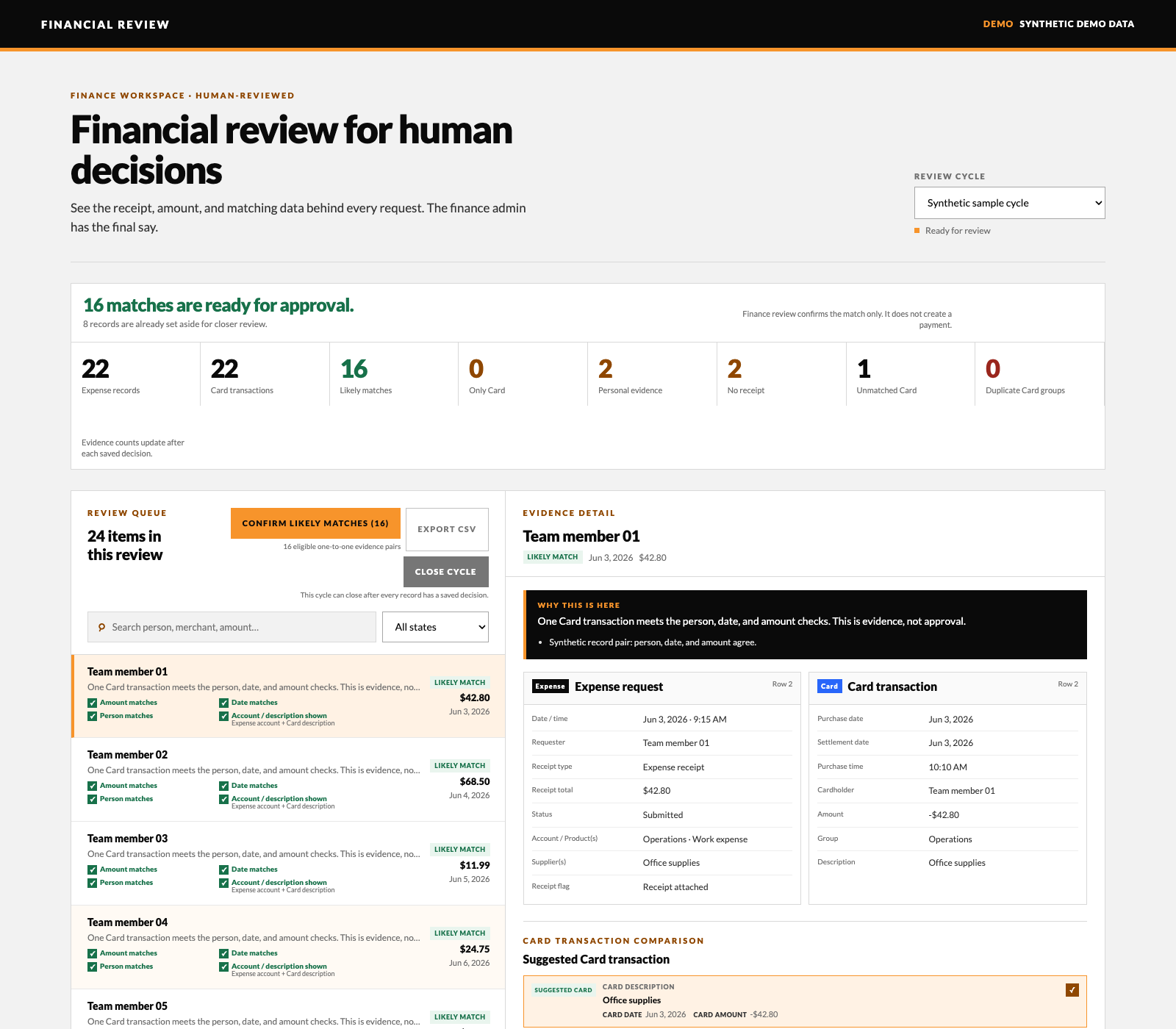 Financial review without the spreadsheet chase Expense reconciliation and reimbursement review
 I built a private finance-review workspace that brings reimbursement requests and card transactions into one place, suggests matching records, and shows the finance team what needs a closer look. The screenshot uses entirely synthetic data.
View in portfolio → DriverFrame: one home for a driving school Custom driving-school operations workspace
I built DriverFrame as one shared home for a driving school, bringing student progress, bookings, attendance, feedback, and office follow-up into one workflow. The walkthrough uses fictional student data from the system I built for a Spokane school. Students, parents, instructors, and admins each see the information and actions that belong to their role, while existing tools stay connected underneath.
View in portfolio →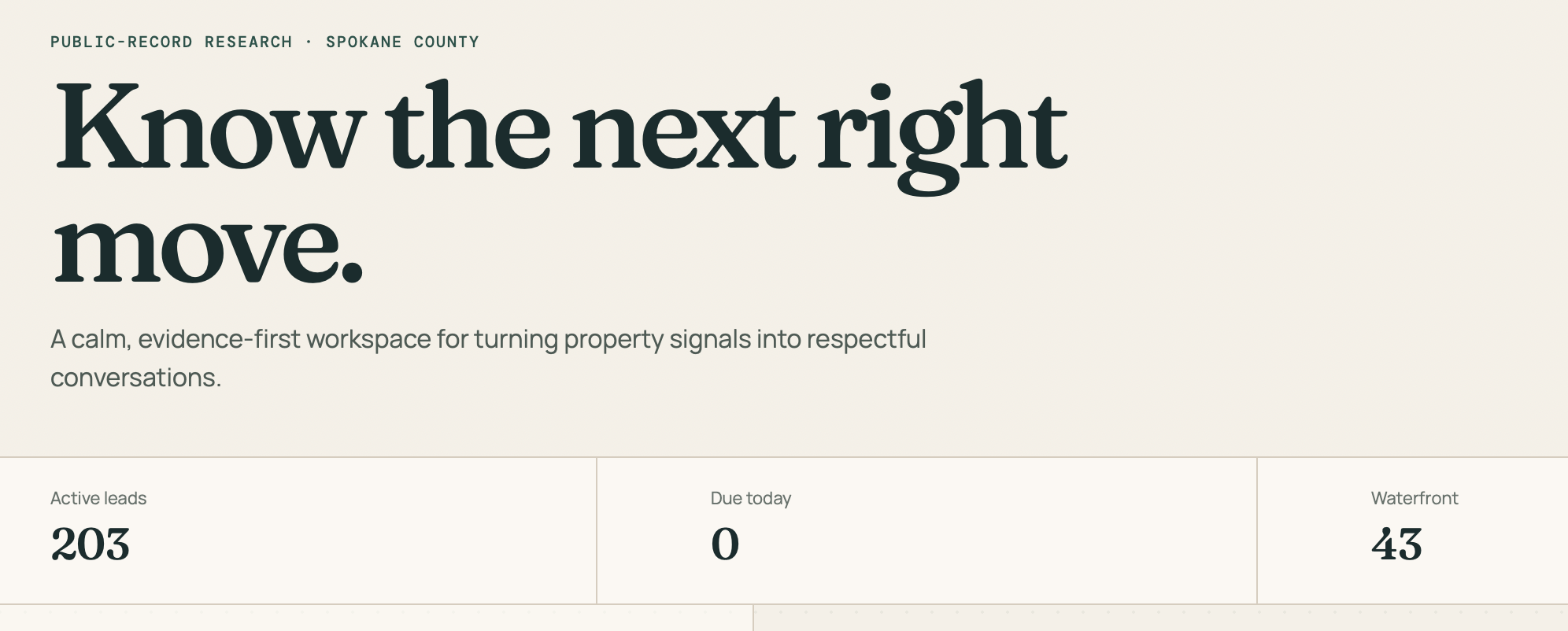 Spokane Property Signals Custom Realtor CRM and public-record research system
 A Spokane-area Realtor asked for her own custom CRM, built around the properties she is actually looking for—including waterfront homes and selected South Hill neighborhoods. I turned those criteria into a private, searchable workspace backed by evidence-linked public-record research.
View in portfolio →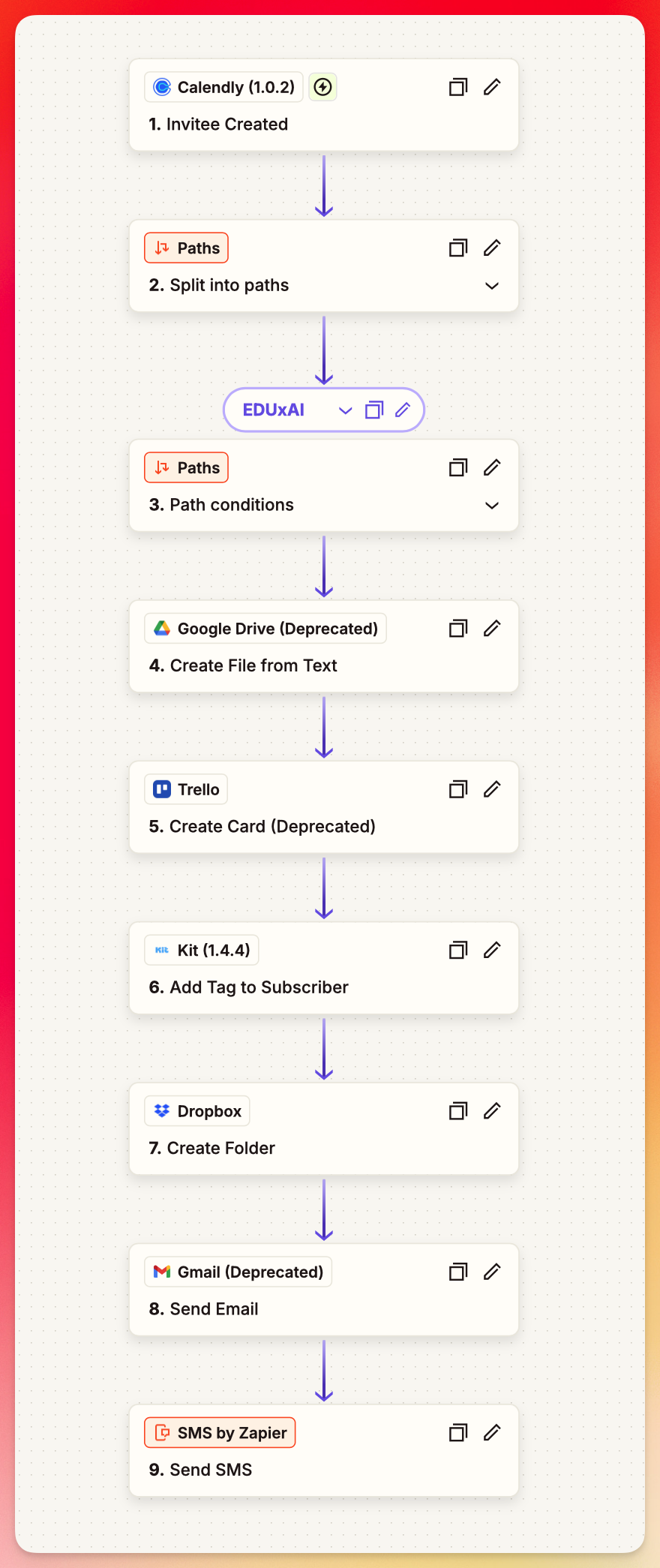 Podcast guest workflow Zapier automation
 A podcaster wanted to stop scrambling before guest interviews. I helped him connect the tools already in his process so each new booking creates the prep, folders, tasks, tags, messages, and follow-up steps he needs.
View in portfolio →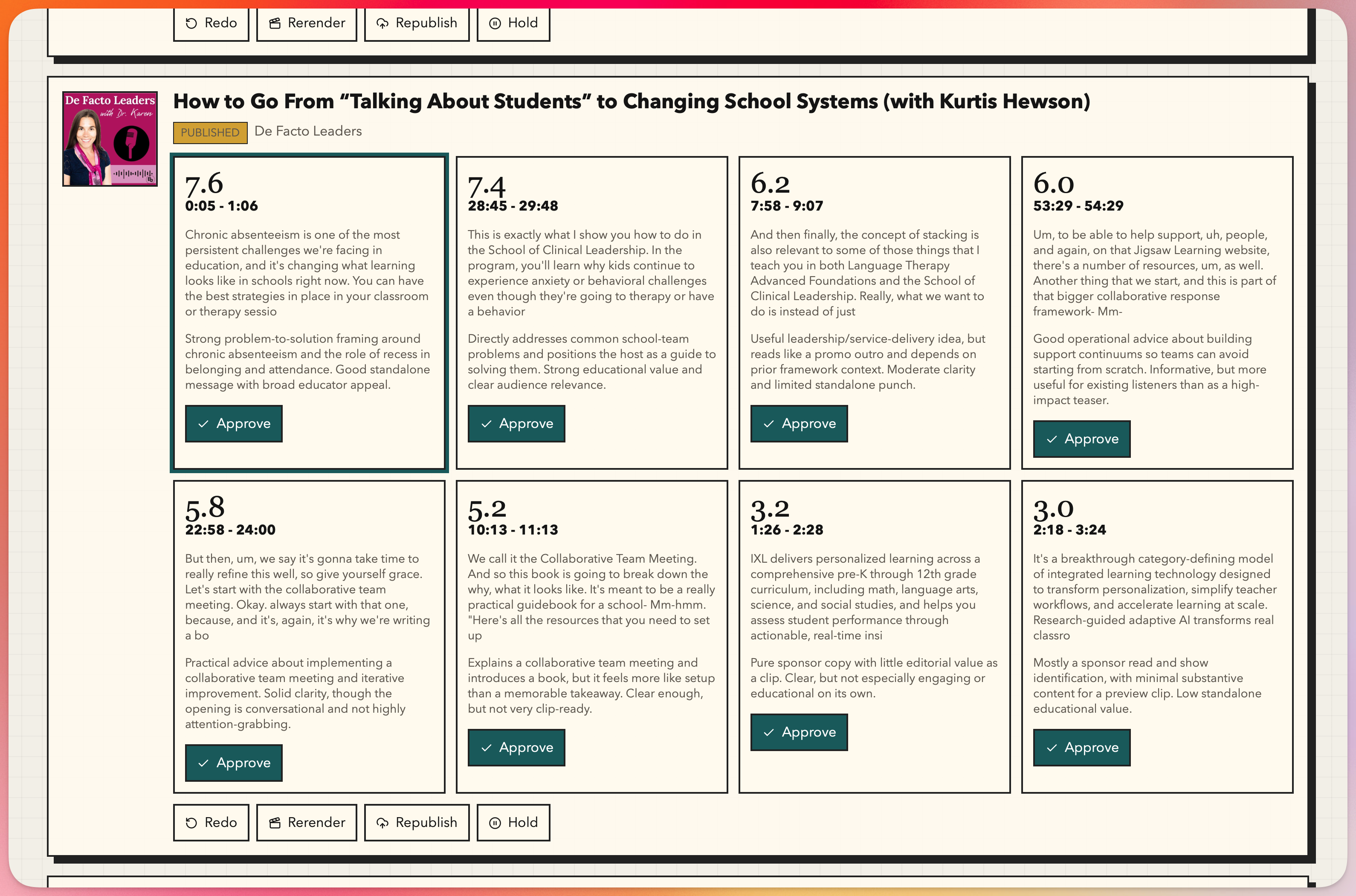 BE Podcast Network showcase engine Podcast feed and clip automation
 A podcast network wanted a better way to showcase its shows without asking every host to learn new tools. I built BPN Megafeed to gather episodes from many podcast feeds into one network feed, then built Clipfeed to turn new episodes into short, branded clips ready for podcast and social publishing.
View in portfolio →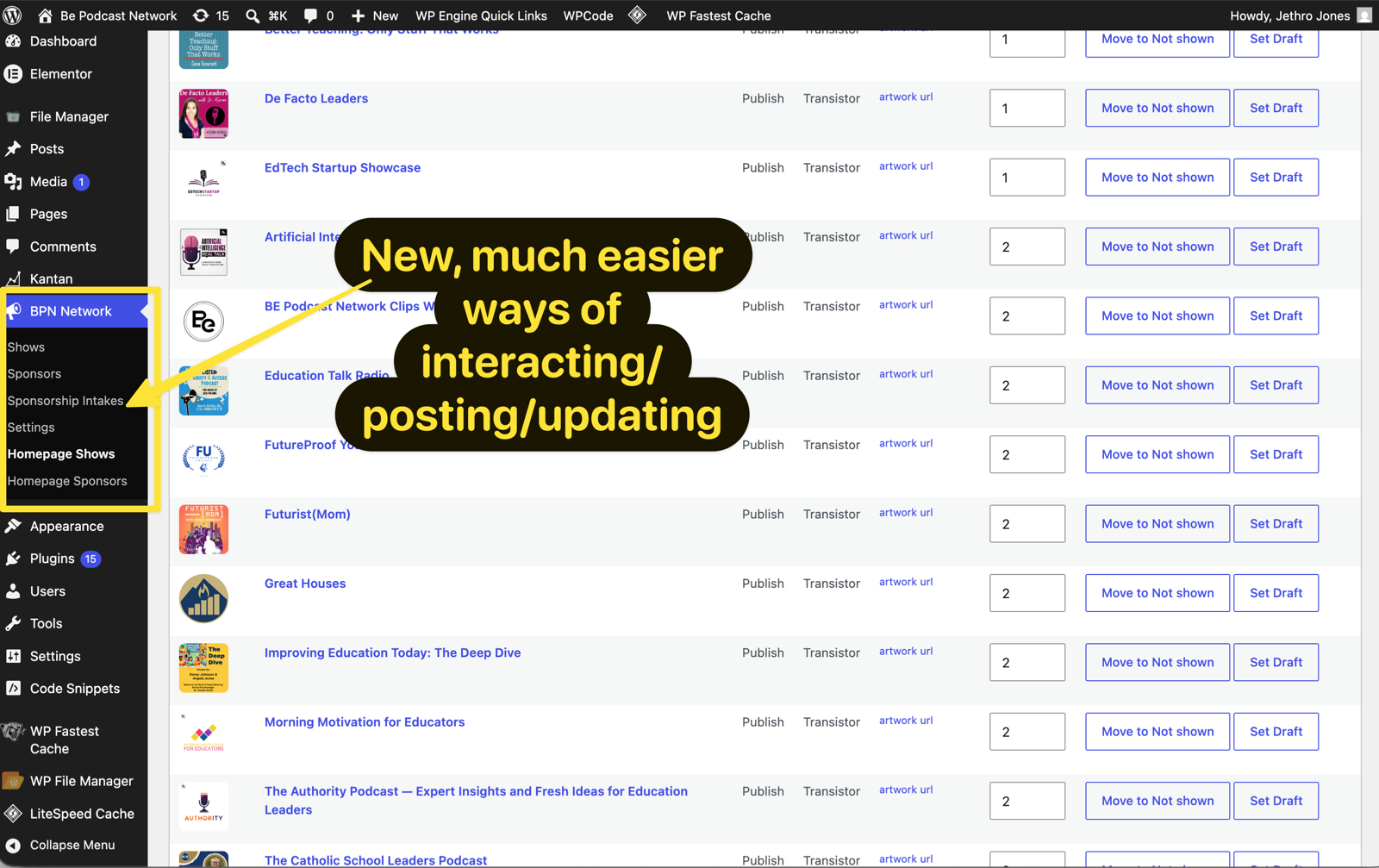 Be Podcast Network WordPress rebuild Custom WordPress theme and plugin
 Be Podcast Network needed its public site to stop depending on Elementor for core layout and daily updates. I rebuilt the site around a lightweight native WordPress theme and a custom BPN Network Manager plugin so design, show data, sponsors, intake, and homepage controls each had a stable place to live.
View in portfolio → Success Signal Analysis Kit campaign analysis app
Success Signal Analysis helps Kit creators turn recent broadcast data into evidence-backed marketing experiments. A visitor enters a Kit API key, names the outcome they care about, and gets a report that compares winning and losing campaigns instead of leaving them to stare at open and click rates alone.
View in portfolio →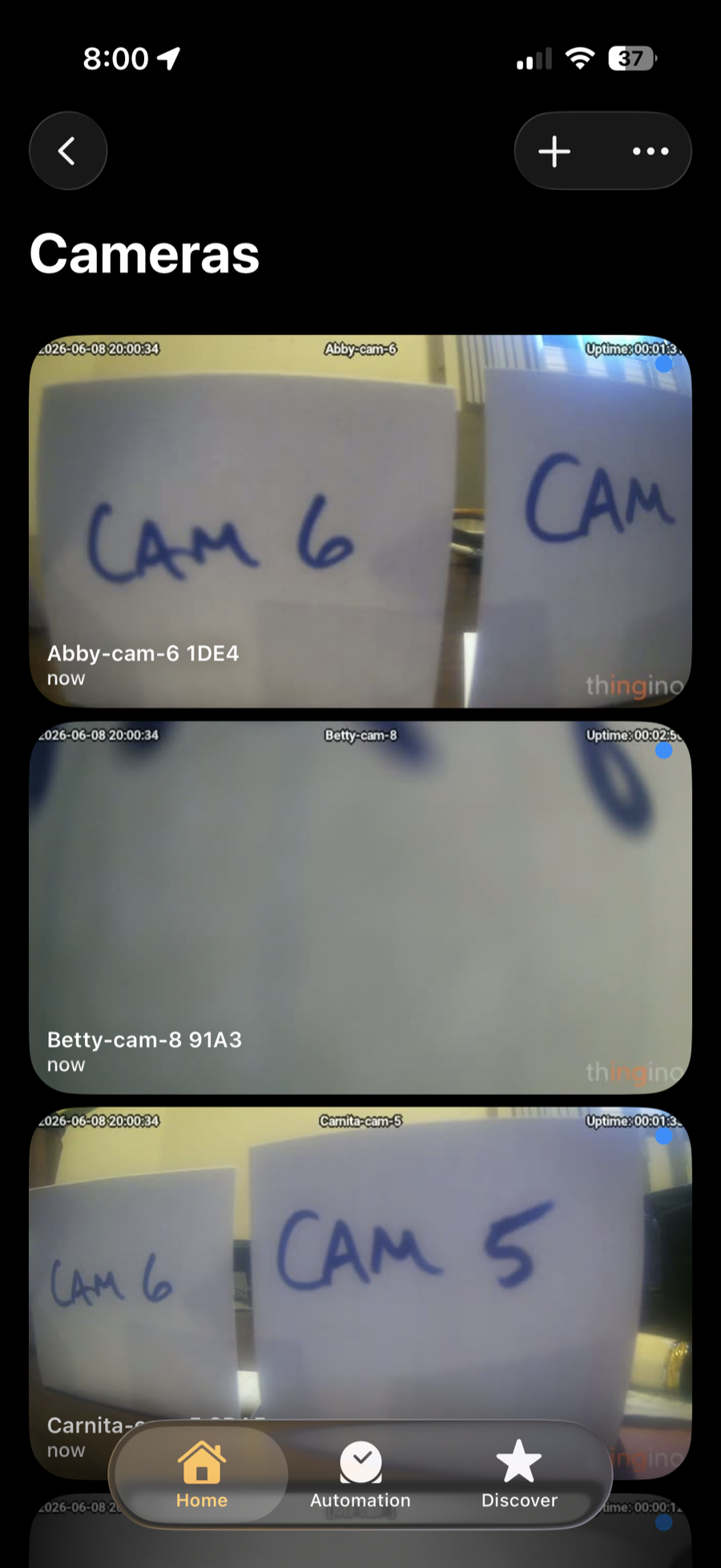 Open security camera migration Local-first hardware migration
 A customer had 8 cameras tied to a closed cloud account, subscription-gated features, and a vendor-controlled app. I migrated the Wyze Cam v2 fleet to thingino open-source firmware, then connected the local streams into Apple Home so the customer could simply open the Home app on their iPhone and see their cameras.
View in portfolio → Life Lab Operations Dashboard Internal ops console
Life Lab had important automations spread across scripts, webhooks, schedules, and credentials. I turned that scattered backend into one clear dashboard where the team can see what is running, what failed, and exactly what to do next.
View in portfolio → Driving school backend automation Invisible AI support
Darrell was carrying the stress of a driving school's back office while trying to focus on teaching teenagers how to drive. I made the AI disappear into the workflow so he could run the school with fewer clicks, fewer reminders, and less computer anxiety.
View in portfolio →
Meet the founder
Practical AI help, from Jethro Jones.
Jethro is a former principal and leadership coach with a doctorate in education leadership. He helps small businesses and education teams make AI useful inside the work they already do.
- Former principal
- Doctorate in education leadership
- OpenAI Select Partner
Questions, answered 07
How this works, in plain language.
- How does this work?
We start with a real operational problem, not a tool demo. I learn how the work moves today, identify the places creating friction, and help you choose and implement a useful next change.
- Is this a fit for my business?
Small businesses are the common fit, often teams of 5 to 10 people. That is not a hard rule: solo operators and education organizations can be a strong fit too when there is a real workflow problem to solve.
- What kinds of work can you help with?
Examples include customer onboarding, registration, CRM and email workflows, recurring handoffs, internal operations, and practical AI support for the people doing the work.
- Do we need to replace the tools we already use?
No. We begin with the tools, habits, and constraints you already have. The goal is usually to make the existing work easier to run, not to add another platform for its own sake.
- What does it cost?
-
Current offers and prices are published openly:
- What support is available after a system is live?
Clients can continue with AI Tech Support for practical troubleshooting, coaching, and refinements as tools or needs change. The support is meant to help your team keep operating the system, not become dependent on a consultant.
- What is the first step?
Take the 2-minute diagnosis. It is a quick way to name the kind of AI or workflow help your team may need before you book anything.
Start 08
The first step is not a sales call. It is a quick diagnosis of what kind of AI work your team actually needs.
Get a personalized AI roadmap in 120 seconds.