 Optimization Doc Start diagnosis →
 Practical systems that make work feel lighter.
These projects turn scattered tasks, hidden backend work, and intimidating tools into calmer workflows people can actually use.
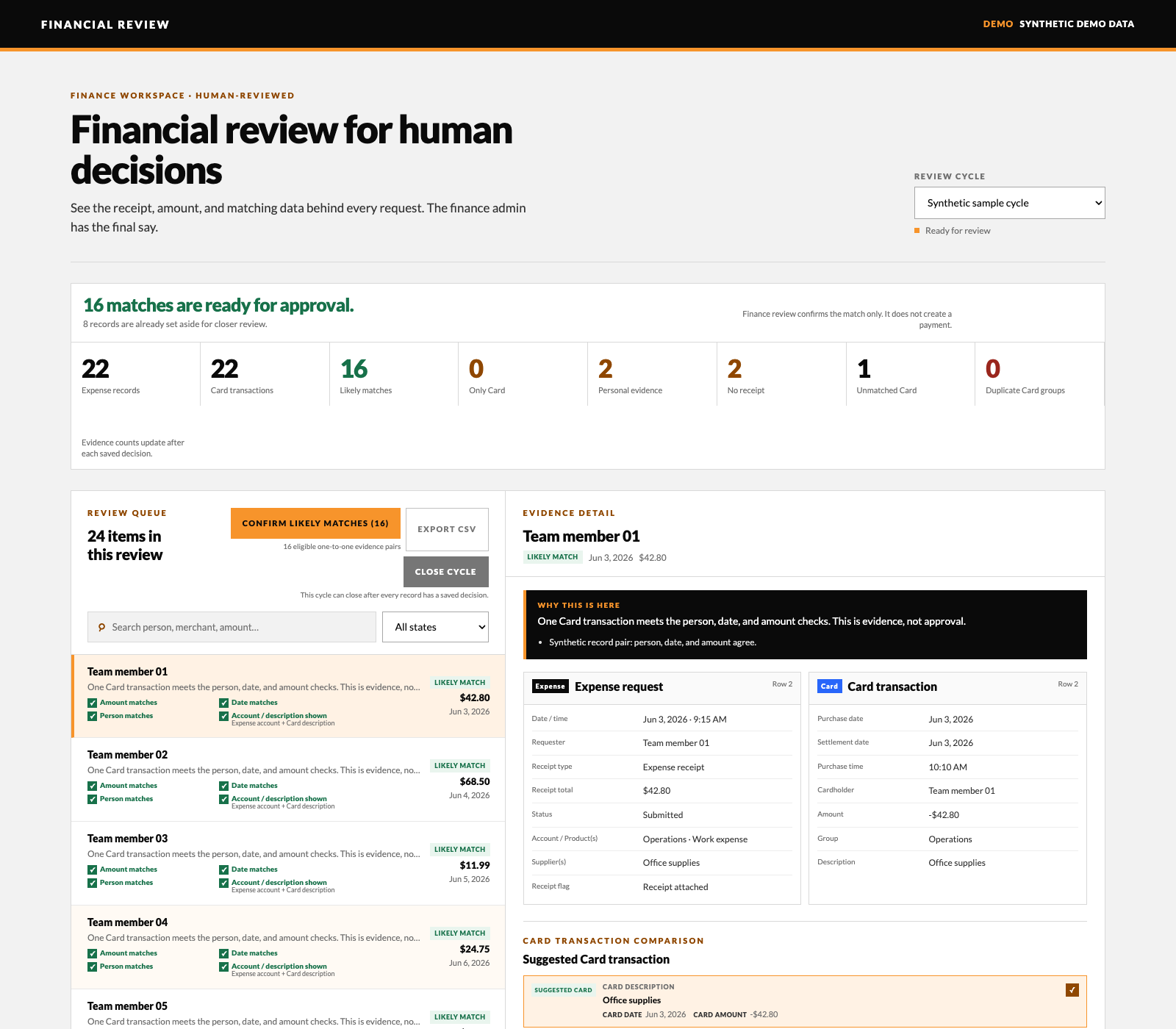 Financial review without the spreadsheet chase Expense reconciliation and reimbursement review
 I built a private finance-review workspace that brings reimbursement requests and card transactions into one place, suggests matching records, and shows the finance team what needs a closer look. The screenshot uses entirely synthetic data.
- Imported reimbursement requests and card-transaction exports into one review cycle while keeping raw workbooks out of the workspace.
- Used deterministic, explainable person, date, and amount checks to surface likely pairs, while leaving ambiguous, unmatched, duplicate, missing-receipt, and personal-payment evidence visible for review.
- Kept review decisions with the finance team through role-based access, an append-only audit trail, and a close rule that requires every unresolved record to have a decision.
- Kept payment and external-export steps gated: the workspace records evidence and handoff status, but does not execute payments.
I built DriverFrame as one shared home for a driving school, bringing student progress, bookings, attendance, feedback, and office follow-up into one workflow. The walkthrough uses fictional student data from the system I built for a Spokane school. Students, parents, instructors, and admins each see the information and actions that belong to their role, while existing tools stay connected underneath.
- Students see classes attended, missed classes needing makeup, drive count, and written or road-test steps; they can book drives and makeups from the same workspace.
- Parents see progress and instructor feedback. In the live school system, drive bookings notify the parent and school and add the drive to calendars; those connections are disabled in the demo.
- Instructors see daily drives and record feedback plus attendance decisions; admins get a roster that flags students needing attention and a clear place to follow up.
- GoHighLevel CRM handles calls, emails, logging, and support tickets; a contact can open an instructor-support ticket, while Zoom attendance shows arrival and connected minutes for admin review.
- Routine tracking uses deterministic scripts. Optional AI drafts emails without student names; the CRM fills those placeholders when the message is sent.
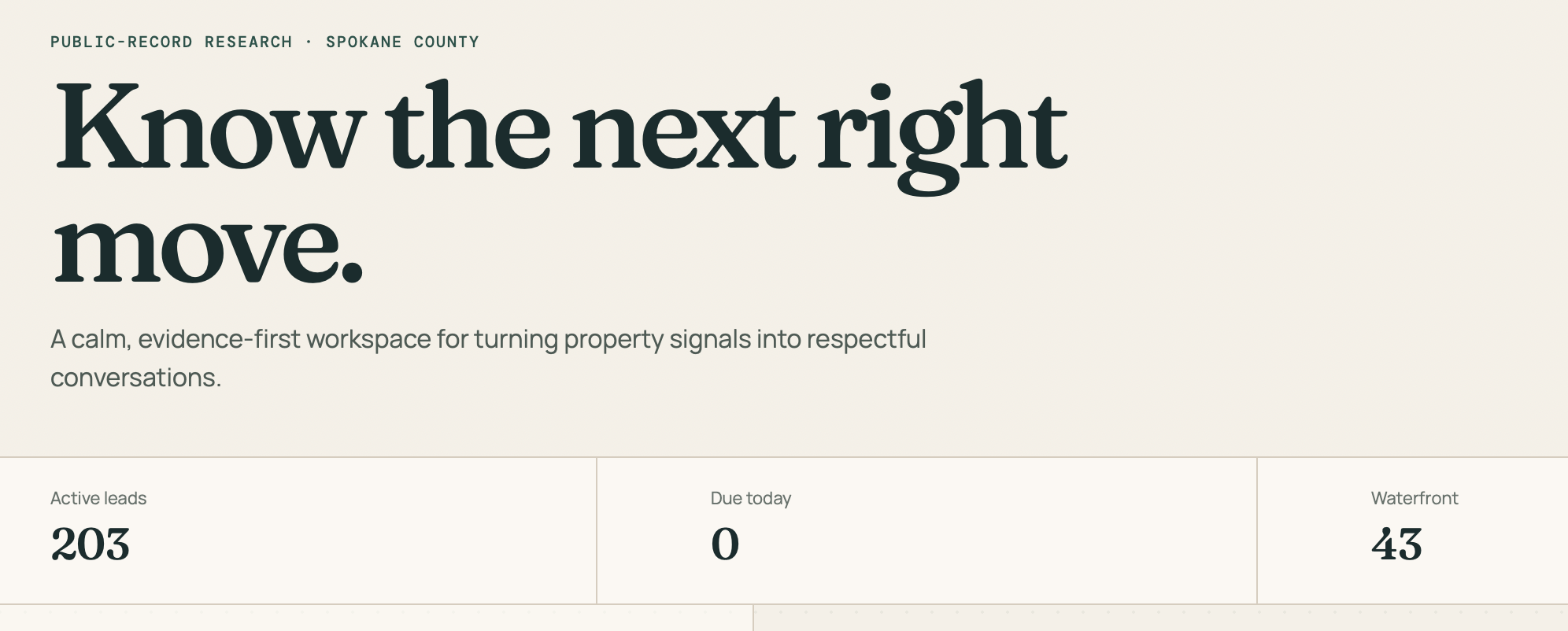 Spokane Property Signals Custom Realtor CRM and public-record research system
 A Spokane-area Realtor asked for her own custom CRM, built around the properties she is actually looking for—including waterfront homes and selected South Hill neighborhoods. I turned those criteria into a private, searchable workspace backed by evidence-linked public-record research.
- I wrote a Python research script that combines Spokane County Auditor records, SCOUT parcel and property data, official waterbody boundaries, and City neighborhood boundaries.
- The first CRM release organized 203 leads, including 43 waterfront properties, with stages, priorities, next actions, review dates, contact channels, private notes, and mailing export.
- The County publishes no numeric automated-request limit. The crawler therefore uses a deliberately throttled, user-approved pace, bounded retries, increasing backoff, and an atomic per-parcel cache so it can resume without hammering public databases or repeating completed work.
- Every result keeps its source document numbers and verification links visible, and the CRM prompts the Realtor to verify the records before outreach.
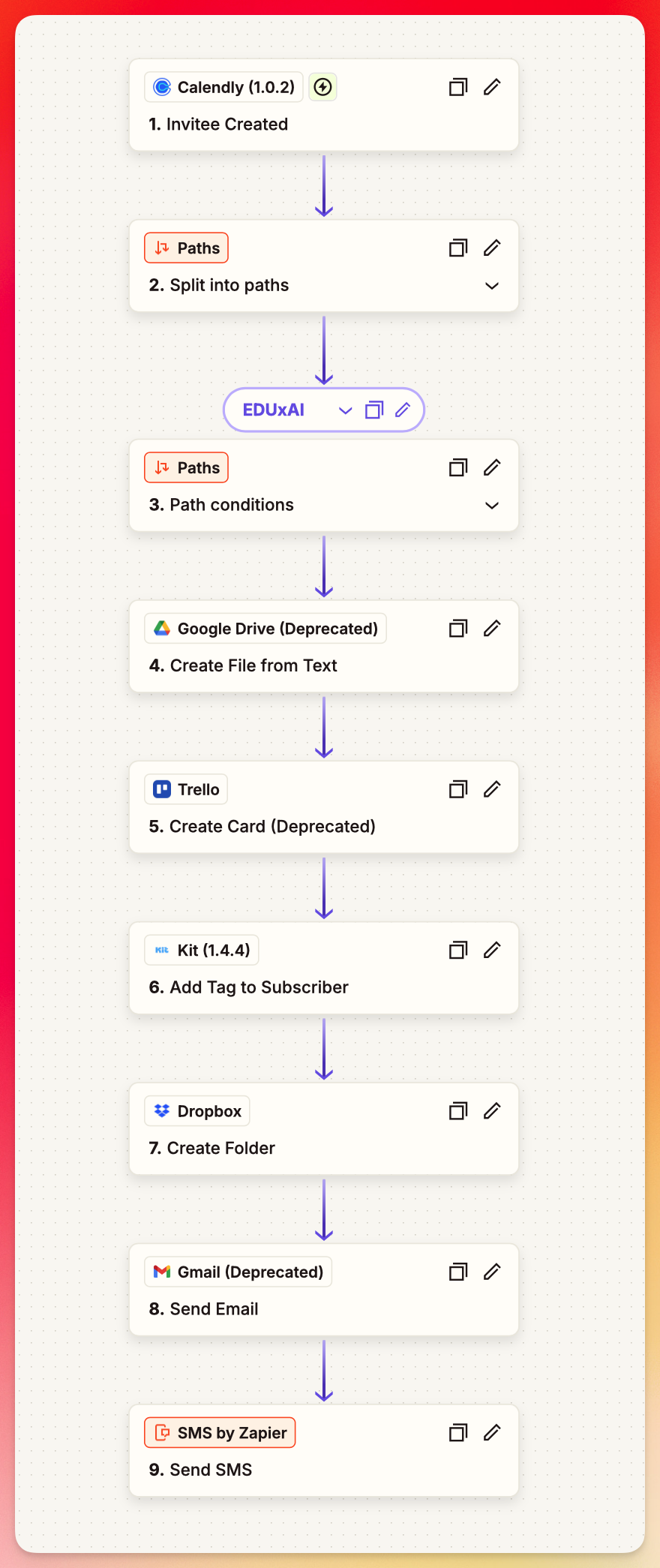 Podcast guest workflow Zapier automation
 A podcaster wanted to stop scrambling before guest interviews. I helped him connect the tools already in his process so each new booking creates the prep, folders, tasks, tags, messages, and follow-up steps he needs.
- A Calendly booking starts the workflow automatically.
- Zapier routes each guest through the right path, creates files and folders, and keeps Trello, Kit, Gmail, Dropbox, and SMS in sync.
- The result is simple: he shows up prepared every single time without rebuilding the process by hand.
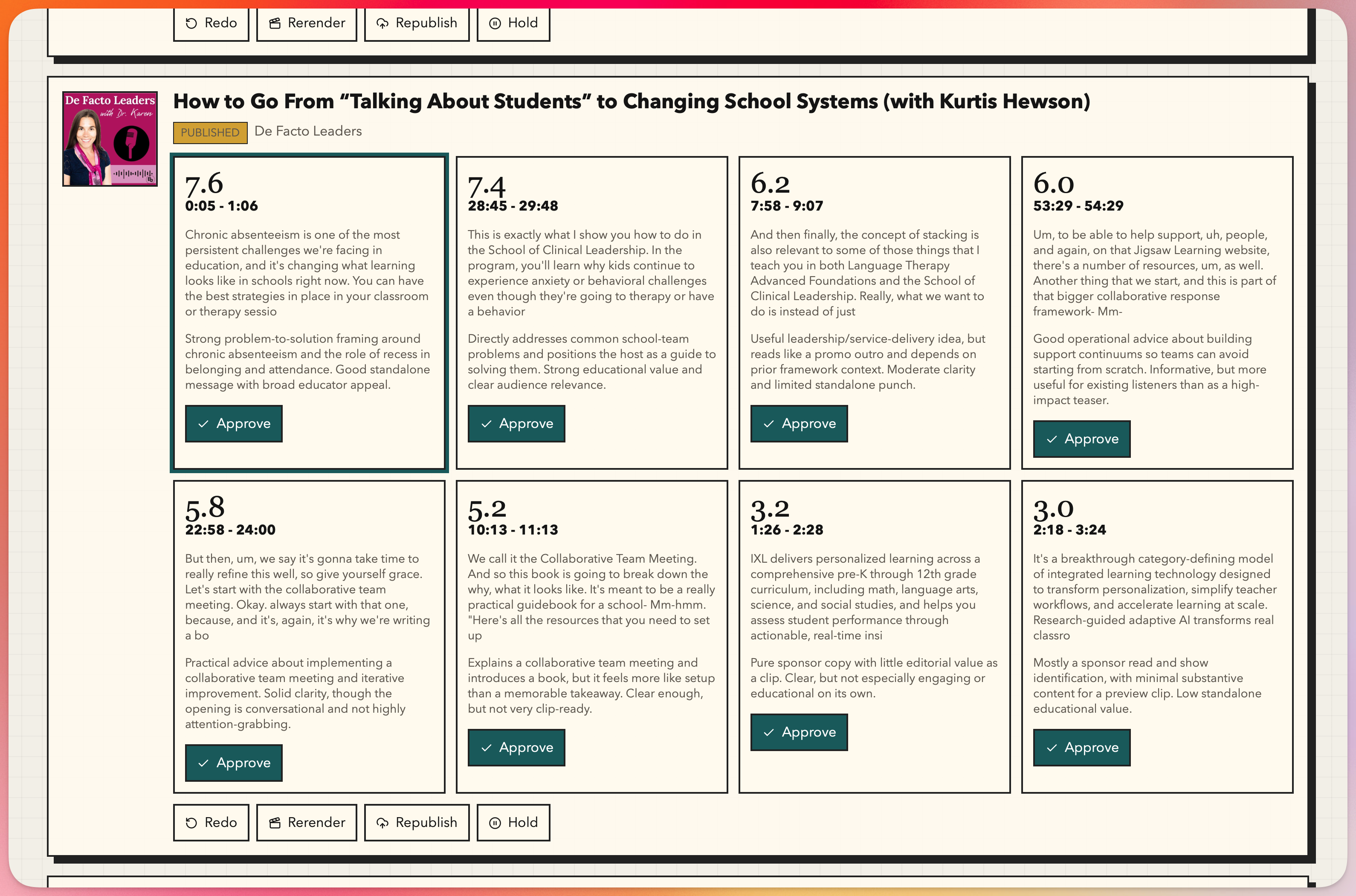 BE Podcast Network showcase engine Podcast feed and clip automation
 A podcast network wanted a better way to showcase its shows without asking every host to learn new tools. I built BPN Megafeed to gather episodes from many podcast feeds into one network feed, then built Clipfeed to turn new episodes into short, branded clips ready for podcast and social publishing.
- BPN Megafeed creates one public RSS feed from many existing podcast feeds while leaving every audio file on the original host, so downloads still count in the right place.
- Clipfeed watches the network feed, finds new episodes, creates transcript-backed clip options, adds short intro and outro bumpers, and publishes the selected audio clip to Transistor.
- The system also renders vertical videos with artwork, captions, and BE Podcast Network branding, then prepares them for social publishing.
- Behind the scenes it uses Supabase for workflow status, ElevenLabs for transcripts and voice bumpers, ffmpeg for clean audio cuts, Remotion for vertical video, Transistor for podcast publishing, and Postiz for Shorts publishing.
- Hosts and admins see a simple app where they can review episodes, suggest timestamps, approve clips, redo a run, or hold publishing. The AI stays in the background where it belongs.
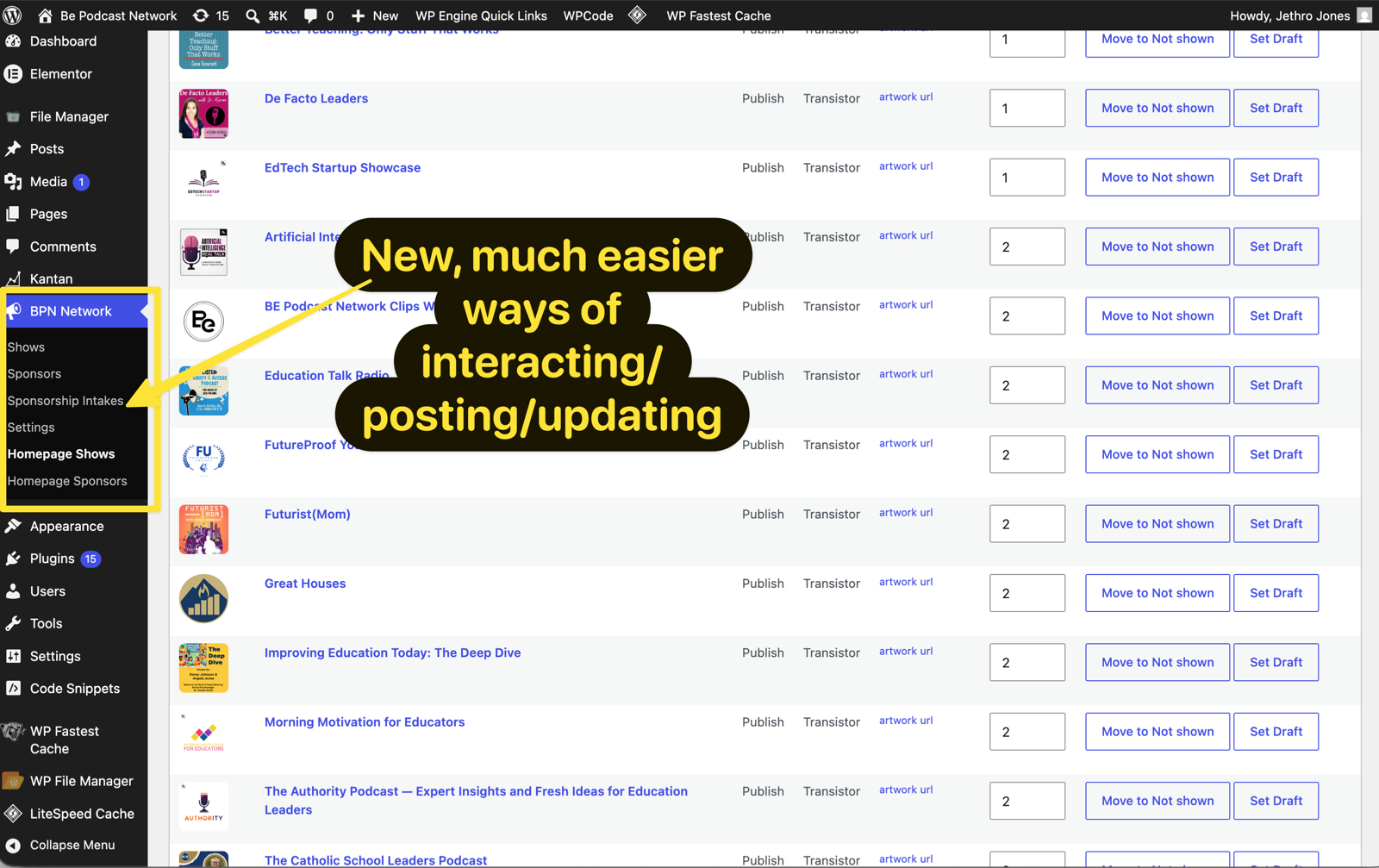 Be Podcast Network WordPress rebuild Custom WordPress theme and plugin
 Be Podcast Network needed its public site to stop depending on Elementor for core layout and daily updates. I rebuilt the site around a lightweight native WordPress theme and a custom BPN Network Manager plugin so design, show data, sponsors, intake, and homepage controls each had a stable place to live.
- The BPN Native theme now handles the public templates for the homepage, sponsor page, join page, contact page, application pages, posts, search, and 404 page without relying on Elementor-generated layouts.
- BPN Network Manager syncs shows from Transistor with pagination support, fixes unstable artwork URLs, and gives admins simple screens for homepage show ordering and publishing controls.
- Sponsors can move between current, past, and not-shown states, while self-serve sponsorship intake collects campaign details, uploads logos, creates pending sponsor records, sends notifications, and redirects to Stripe.
- Cloudflare Turnstile, validated Stripe redirects, removed hardcoded secrets, and safer upload rules made the sponsorship workflow less fragile and easier to operate.
- A BPN Megafeed landing page and safe homepage fallbacks turned backend cleanup into visible public-site improvements the team can keep maintaining.
Success Signal Analysis helps Kit creators turn recent broadcast data into evidence-backed marketing experiments. A visitor enters a Kit API key, names the outcome they care about, and gets a report that compares winning and losing campaigns instead of leaving them to stare at open and click rates alone.
- The app pulls recent Kit broadcasts, broadcast content, and stats server-side, then scores campaigns against the visitor's chosen goal.
- Two OpenAI passes separate the reasoning: one extracts structured campaign features, and the second writes an evidence-first report with signals to repeat, reduce, and test next.
- The workflow stays intentionally stateless. The visitor's Kit key is used for one analysis, never stored, and discarded after the report is generated.
- The finished report renders on screen, can be copied or downloaded as Markdown, and is emailed to the visitor for follow-up.
- The public GitHub repo includes the build notes, prompts, tutorial, and deployment shape so other builders can study how a focused AI tool moves from idea to shipped workflow.
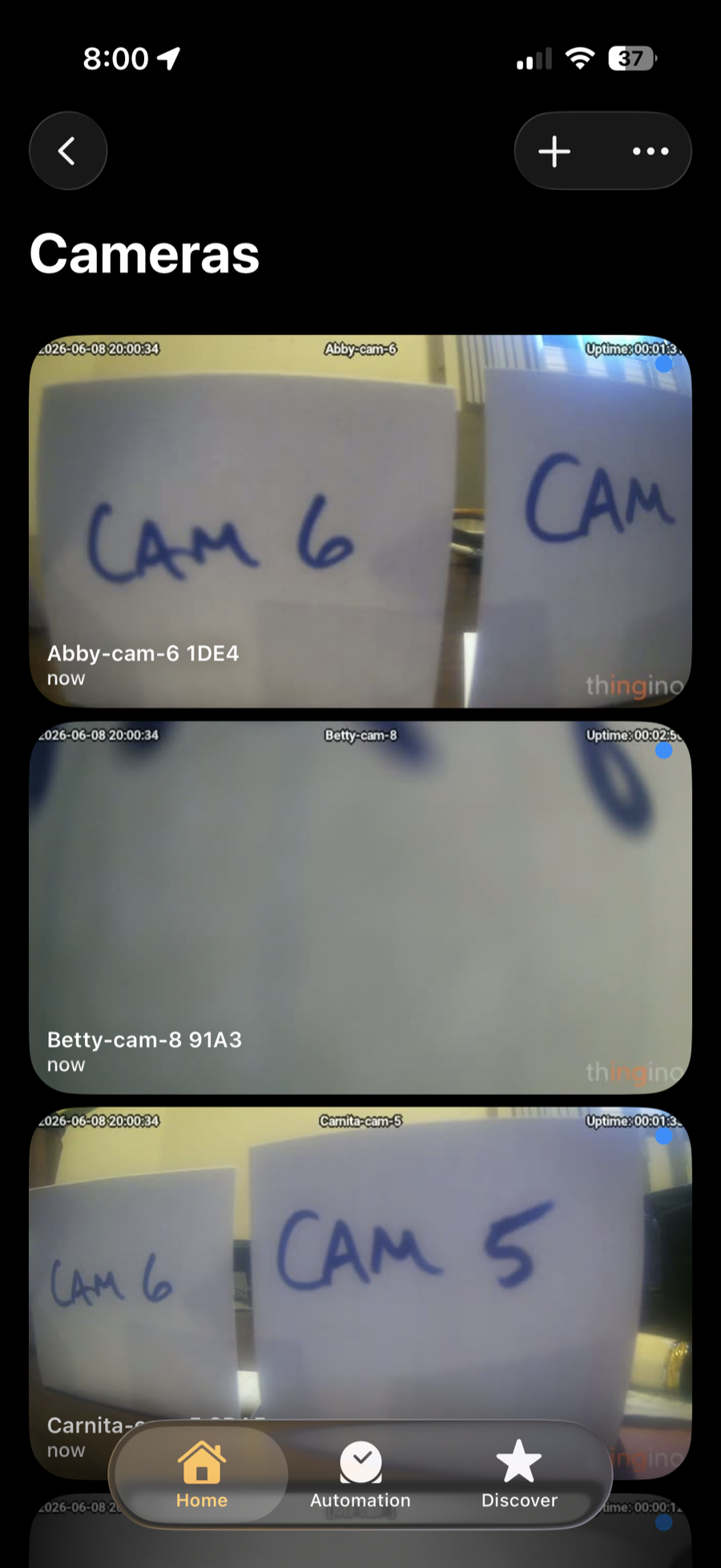 Open security camera migration Local-first hardware migration
 A customer had 8 cameras tied to a closed cloud account, subscription-gated features, and a vendor-controlled app. I migrated the Wyze Cam v2 fleet to thingino open-source firmware, then connected the local streams into Apple Home so the customer could simply open the Home app on their iPhone and see their cameras.
- Every camera's factory firmware was backed up and SHA-256 verified before the migration, keeping a safe path back to stock firmware.
- The off-the-shelf installer had an incomplete image for this camera sensor variant, so I rebuilt the installer with the correct official image and verified it before migrating the fleet.
- The camera bootloader could not read large SDXC cards, so I isolated the card compatibility issue and standardized the install path on reliable smaller cards.
- Two half-installed, non-booting units were recovered with a self-flashing recovery card instead of replacing hardware, soldering, or using a chip programmer.
- The open RTSP/ONVIF streams became the integration point for Apple Home, preserving the simple iPhone experience while removing the cloud account and recurring software fee underneath it.
- The result: all 8 cameras run locally with no monthly software fee, no cloud dependency, no vendor lock-in, Apple Home access, and streams ready for an NVR, Home Assistant, Frigate, or AI vision layer.
Life Lab had important automations spread across scripts, webhooks, schedules, and credentials. I turned that scattered backend into one clear dashboard where the team can see what is running, what failed, and exactly what to do next.
- Scheduled workflows run automatically, and incoming webhooks land in one secure place.
- Run history, logs, API credentials, and failure alerts are managed inside the dashboard instead of across disconnected tools.
- When something breaks, the team gets an email with a link to the failed run and a one-click Copy for Claude button that packages the log and source code for fast diagnosis.
- It runs on Cloudflare Workers, D1, R2, KV, Durable Objects, and Queues, keeping the system lightweight and inexpensive while still giving Life Lab a real operations command center.
Darrell was carrying the stress of a driving school's back office while trying to focus on teaching teenagers how to drive. I made the AI disappear into the workflow so he could run the school with fewer clicks, fewer reminders, and less computer anxiety.
- One click creates a new class cohort, pricing page, Stripe product, and CRM smart list.
- Automated emails keep students informed about upcoming classes and required information.
- The system handles the repetitive office work in the background so Darrell can spend his attention on students, not software.
I've been to hundreds of meetings, and too many of them are just talk. This was different. It was one of the most valuable meetings I've had in a very long time, and the value continued even after the demonstration. Jethro kept helping me think through what was possible for my actual work, and I could feel the alignment from the start.
Jethro turned a messy registration process into one clean flow. Parents can register each student without records overwriting each other, Stripe stays simple, and our class reminders can now run from real dates instead of manual work.
It was honestly perfect. Having so much time to explore and work with the tools was fantastic. It was one of the best programs I've been in.
The Kickstart was amazing! We actually created and developed a tool that will be used to save time, and solve an actual problem.
After spending just 2 hours with Jethro, he saved me hiring a half time employee. I don't need to spend that money on headcount anymore.